

Your latest clip blew up on TikTok overnight. You went to bed with 1,200 Discord members. You woke up to 4,800. And your one overworked volunteer mod is already DM'ing you screenshots of stuff she really wishes she hadn't seen.
Welcome to the streamer-specific version of moderation hell. It isn't gradual. It doesn't give you time to write better rules, hire help, or even read what's coming in. One viral moment and your community is suddenly the size of a small town — and you're still the only mayor.
If you stream on Twitch, YouTube, Kick, or anywhere else with a Discord attached, this guide walks through the exact setup that survives the next viral spike. None of it requires you to be online when it hits.
Creator Discords don't grow linearly — they double overnight. The setup below configures automated moderation for streamers that handles raid waves, viral-spike join floods, NSFW image spam, and a strike system that doesn't punish loyal fans for one rough day. Most of it works on SfwBot's free tier.
Why streamer Discords break differently
Other Discord communities can grow into their moderation. Yours can't. The growth curve has cliffs in it — every clip that lands on someone's For You page is a potential vertical step.
That makes you a different kind of target.
Coordinated brigades come from rival communities, anti-fan subreddits, or whichever corner of the internet decided this week that you're the main character. Bots monitor your posts and pile in within seconds. And the screenshots they take? Those don't stay in Discord. One ugly moment in your #general becomes a Twitter thread, and that Twitter thread becomes a news cycle for people who already wanted you to look bad.
Your moderators, meanwhile, are usually fans. They volunteer for free. They have day jobs. They are not standing by at 3 AM on a Tuesday because your gameplay clip went viral overnight in Brazil.
Automation isn't a nice-to-have here. It's the only honest answer.

Step 1: Lock down server entry before you need to
Discord ships with five verification levels — None, Low, Medium, High, and Highest. Most streamer Discords are stuck on Low because nobody changed the default.
Move to High. That requires a verified phone number on Discord before anyone can post. This single setting kills the majority of bot raids cold. Yes, it adds friction for new viewers. That friction is the entire point.
Next, enable Discord's Member Screening with one community-specific question. "What's the catchphrase from my outro?" filters out drive-by trolls because they haven't actually watched a stream. People who have? They get through in two seconds.
Then add a holding zone — a single welcome channel where new members land before they get full server access. They react to a rules embed or wait 10 minutes (both options work). When 400 accounts younger than 7 days join in the same hour, the holding zone catches the wave.
SfwBot layers on top of all of this. Its invite filter catches the classic raider move — join, drop an invite link to their server, dip — entirely free, no credits required. And if a raid still gets past your front door, there's a separate playbook for handling it in real time.
Step 2: Automate image scanning with creator-friendly thresholds
This is where most streamers either over-correct or under-correct.
Over-correct: max-sensitivity NSFW filter. Now every fan-edit gets nuked. Members feel policed. Engagement craters.
Under-correct: Discord AutoMod alone.
This is exactly what SfwBot is for: AI image scanning trained on 220,000+ images, real-time analysis, 98.56% detection accuracy. It catches static images, animated GIFs, and video frames — the stuff AutoMod can't see.
For a streamer setup, configure per-channel sensitivity instead of one global threshold:
- #general / #announcements: high sensitivity. Anything questionable gets nuked.
- #fan-art / #memes: medium-low. Stylized art shouldn't trip the filter constantly.
- #age-verified-18plus (if you have one): scanning off.
The free tier handles 5,000 image scans per month, which covers most servers under a few thousand active members. Bronze at $1.99/mo bumps that to 30,000. See the full breakdown on the pricing page.
Step 3: Configure spam protection for hype storms
Streamer chat looks identical to spam during good moments.
Big play in a tournament: 200 fans typing "GG" simultaneously. Drop announcement: emoji chains and mentions of @everyone. Clip lands: sticker spam for a full minute. None of this is malicious. All of it looks like a bot raid through a generic spam regex.
The fix: tune each spam category independently. SfwBot's spam protection splits into eight separate filters — rate limiting, similar messages, mention spam, emoji spam, caps spam, zalgo/glitch text, attachment spam, newline spam. All free.
Sensible defaults for a creator Discord:
- Rate limiting: relaxed. 8–10 messages per 5 seconds during hype moments is normal.
- Similar messages: strict. Real fans don't copy-paste identical messages. Bots do.
- Mention spam: very strict. Anyone hitting @everyone without permission is up to nothing good.
- Emoji spam: relaxed. Emote spam is part of your community's vocabulary.
- Caps: medium. A single "POGGERS" is fine. An entire paragraph isn't.
This combination lets the server breathe during legitimately hyped moments while strangling coordinated attacks within seconds.
Step 4: Build a trust system that doesn't punish loyal fans
Here's the thing about creator communities: a fan who's been around since you had 50 viewers will occasionally post something stupid. They had a bad day. They got into an argument. They will not do it again.
A flat punishment system treats their one mistake identically to a fresh alt account's first attack. That's how good fans get burned. That's also how communities lose the people who built them.
Trust systems handle this differently.
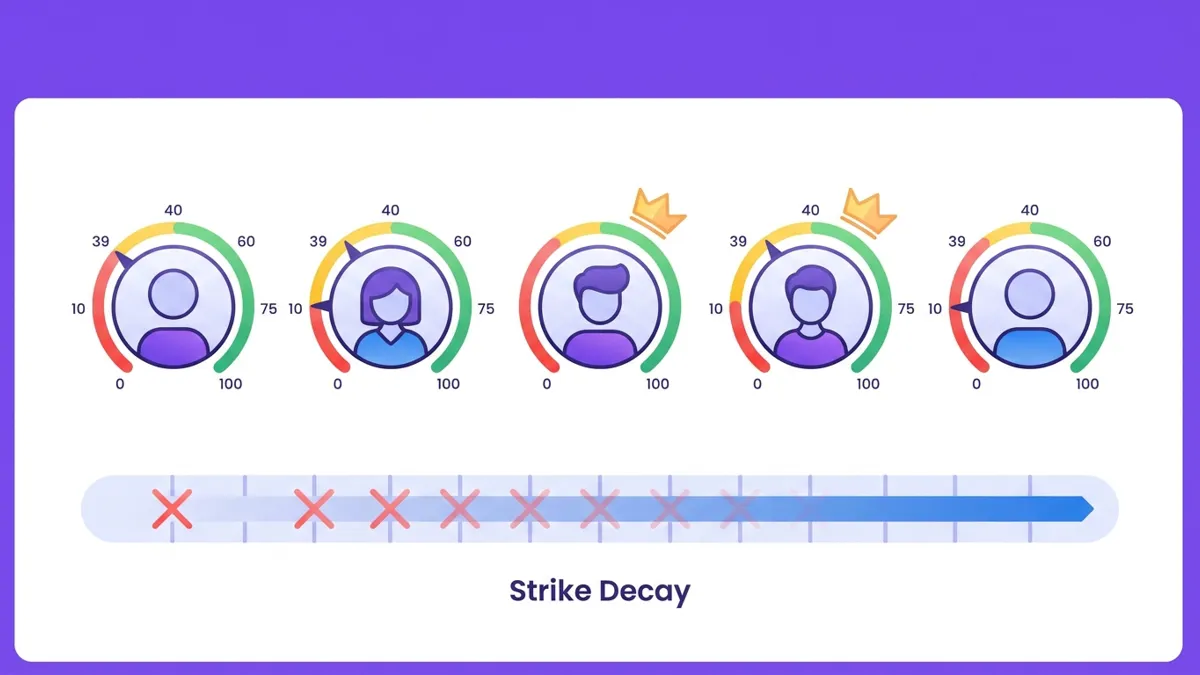
SfwBot's trust system gives every member 0–100 trust points. Everyone starts at 100. Violations subtract from that score. Good behavior recovers it over time. Strike actions escalate — warning, timeout 10 minutes, timeout 1 hour, kick, ban — and you can configure up to 10 of these stages on Bronze and above (3 on free).
For streamers specifically, the strike decay feature on Bronze+ is the one that matters. The fan who had one rough night six months ago? Their strike is gone. They aren't on permanent thin ice for a single moment from half a year ago.
On Bronze and above, old strikes automatically expire after a period of good behavior. One bad day doesn't follow your real fans around forever.
This is the core difference between streamer Discords running on automation versus the ones running on volunteer-mod burnout. Fans feel fairly treated. Mods aren't manually tracking who's on what number warning. Everyone wins, except the people who came in to wreck the place.
Pair the trust system with audit logging — SfwBot writes every action to a configurable log channel — and you can review exactly what happened during a stream without scrolling through 80,000 messages of post-clip celebration.
Common mistakes streamers make with moderation
A few patterns show up across creator Discords often enough to call out:
- Cranking sensitivity to 100% and calling it done. Your community will feel like a hospital waiting room. Engagement disappears. Tune it.
- Adding moderation reactively, after the first raid. The point is to be set up before the spike, not during. By the time you're searching "how to add Discord bot" mid-raid, the screenshots are already on Twitter.
- Not announcing what's automated. Fans get blindsided when their joke gets nuked, then they're mad at you, not at the bot. A pinned message in #rules costs nothing.
- Treating every member like a potential threat. Your moderation should be invisible to good actors. If your loyal fans are getting auto-warned, your settings are wrong.
- Running AutoMod alone. It's a fine text filter. It cannot see images. The image gap is the entire reason raiders pick creator Discords specifically.
The pattern across all of these: streamer moderation fails when it's reactive instead of preventative, and when it punishes the wrong people.
Putting it together
Move verification to High. Add a member screening question only your viewers know. Stand up SfwBot for image scanning, blocklists, and per-category spam tuning. Set per-channel sensitivity. Turn on the trust system so loyal fans don't get burned for one bad day. Wire up an audit log channel.
The whole setup is under 30 minutes.
The next time a clip of yours blows up — and it will — your Discord won't be the part you have to apologize for the morning after.
Does Discord scan images posted in my streamer Discord?
No. Discord's built-in explicit content filter only applies to direct messages, and AutoMod handles text — not images, GIFs, or video frames. Server channels rely on whatever moderation bot you add.
What's the best free Discord moderation bot for small streamers?
SfwBot's free tier covers spam protection, link filtering, the trust system, and 5,000 monthly AI image scans. That handles most creator communities under a few thousand active members without ever charging anything.
How do I prevent raids during a big collab stream?
Set Discord verification to High a few days before the collab — phone-verified accounts only — and enable a member screening question. Combine that with image scanning and per-category spam protection so any raiders who slip through can't post much before they're caught.
Can fans appeal an automated ban?
Yes. SfwBot writes every moderation action to a log channel of your choice, so your team can review the original message, the trust score, and the action taken before deciding whether to reverse it.
What image-scanning sensitivity should a streamer's Discord use?
Around 50–70% in general channels works for most creator servers — strict enough to catch genuine NSFW content, loose enough to allow stylized fan art. In dedicated fan-art channels, drop it lower; in age-verified spaces, you can turn scanning off entirely.